Now that Apple has updated its hugely popular MacBook Air range with a new M3-powered model, there’s one question: is the new model a no-brainer purchase or should you look at picking up the cheaper M2 Air? We compare the two to see where your money would be best spent.
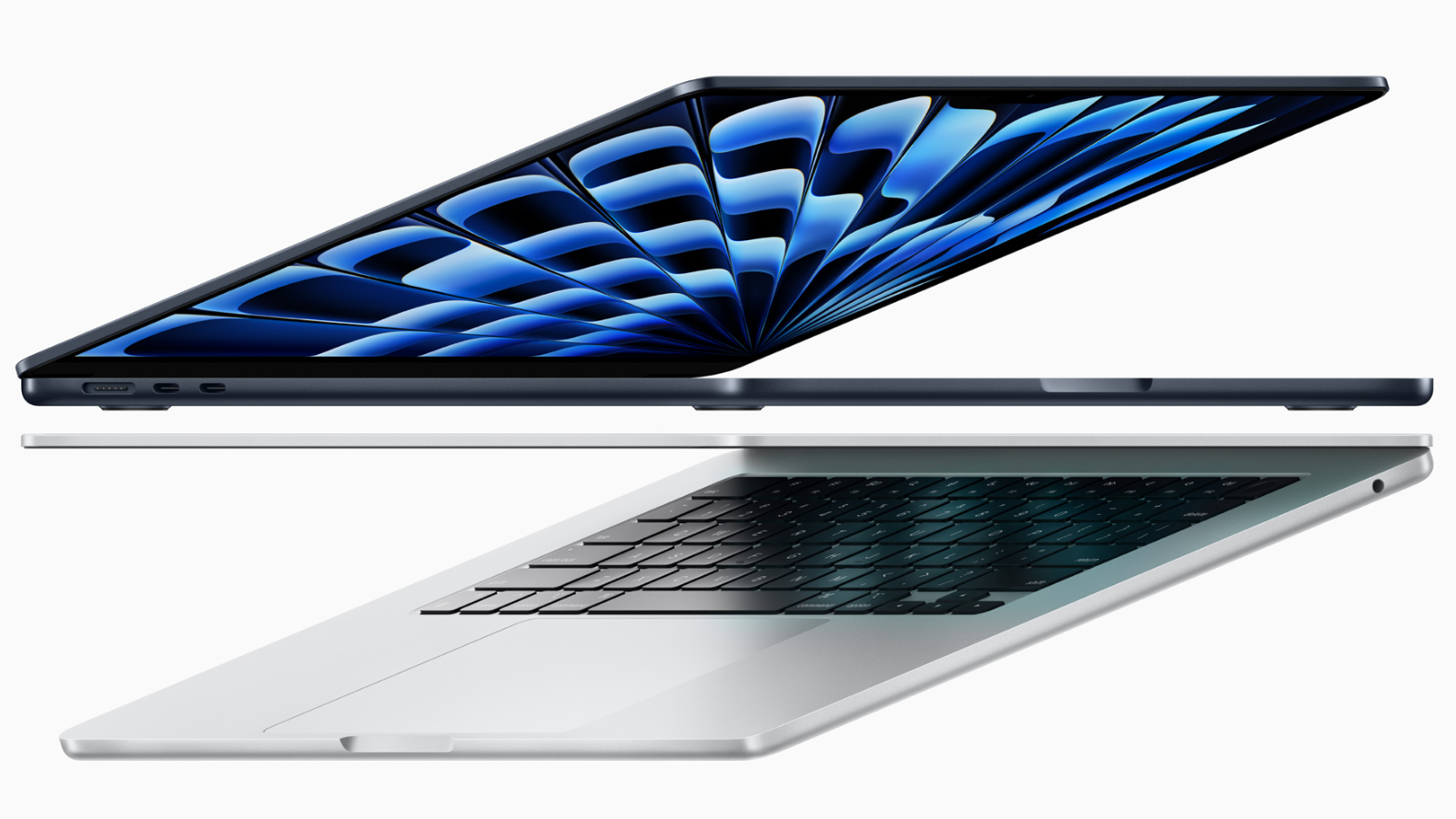
You’d be hard-pressed to find any real difference in the designs between the 13-inch MacBook Air M3 and its predecessor. Both share the same dimensions and weight. Keyboards and trackpads are unchanged, and the rest of the components, including the Touch ID sensor and ports, also remain the same. The colors are identical as well, with midnight, starlight, space grey, and silver options.
The main difference between the M3 models and the M2 is the screen size. If you want a 15-inch model, you’ll need to move to the M3 as Apple has retired last year’s 15-inch MacBook Air M2, leaving its replacement, the MacBook Air 15-inch M3, as the sole larger-than-13-inch option. Again, it’s an identical design to the M2 model, but larger than its 13-inch siblings. So, here’s how the three current models stack up:
Dimensions
MacBook Air 13-inch M2 – 1.13 x 30.41 x 21.5 cm / 0.44 x 11.97 x 8.46-inches
MacBook Air 13-inch M3 – 1.13 x 30.41 x 21.5 cm / 0.44 x 11.97 x 8.46-inches
MacBook Air 15-inch M3 – 1.15 x 34.04 x 23.76 cm / 0.45 x 13.40 x 9.35-inches
Weight
MacBook Air 13-inch M2 – 1.24 kg / 2.7 lbs
MacBook Air 13-inch M3 – 1.24 kg / 2.7 lbs
MacBook Air 15-inch M3 – 1.51 kg / 3.3 lbs
Yes, the 15-inch model does push the Air over to its limits in terms of weight, but for this size, it still feels light enough to retain its legendary name.
Apple
As with the design elements, the 13-inch models again come with identical setups for the display. Both feature 13.6-inch Liquid Retina displays running 2560 x 1664 resolutions, with 500 nits of brightness on offer, plus Wide Color (P3) and True Tone technology.
Obviously, the 15-inch M3 Air has a larger panel—a 15.3-inch Liquid Retina Display with a scaled-up 2880 x 1864 resolution, but apart from that display is simply a larger version of the 13-inch model.
Macwelt
With the 13-inch models, sound comes from a four-speaker system that supports Spatial Audio. Weirdly, Apple lists the older model as having a wide-stereo sound, which isn’t present in the M3 model. It’s not clear exactly what this is, but consider it a feather in the cap for the 13-inch MacBook Air M2. The 15-inch M3 has a better sound system, with a total of six speakers and force-canceling woofers.
The M3 brings some microphone upgrades, with voice isolation and wide spectrum modes to improve audio in noisy environments, plus it has enhanced audio clarity support for audio and video calls. With this in mind, the 13-inch M3 would be the better option if you make a lot of FaceTime or Zoom calls on your Mac without using an external USB device.
There’s also the same 1080p FaceTime camera across all models.
13-inch MacBook Air M213-inch MacBook Air M315-inch MacBook Air M3Processor8-core CPU/8-core GPU8-core CPU/8 or 10-core GPUFour-speaker array with support for Spatial AudioDisplay13.6-inch Liquid Retina display, 2560×1664, 500 nits brightness, Wide colour (P3), True Tone13.6-inch Liquid Retina display, 2560×1664, 500 nits brightness, Wide colour (P3), True Tone15.3-inch Liquid Retina display, 2880×1864, 500 nits brightness, Wide colour (P3), True ToneRAM (Unified Memory)8GB/16GB/24GB 8GB/16GB/24GB 8GB/16GB/24GB Storage256GB/512GB/1TB/2TB256GB/512GB/1TB/2TB256GB/512GB/1TB/2TBSpeakersFour-speaker array with support for Spatial AudioFour speaker array with support for Spatial AudioSix-speaker array with force canceling woofers and support for Spatial AudioTouch IDYesYesYesPorts2x Thunderbolt / USB 4. MagSafe Charging port, 3.5mm headphone jack2x Thunderbolt / USB 4. MagSafe Charging port, 3.5mm headphone jack2x Thunderbolt / USB 4. MagSafe Charging port, 3.5mm headphone jackWi-FiWi-Fi 6Wi-Fi 6EWi-Fi 6EBluetooth5.35.35.3Camera1080p FaceTime HD1080p FaceTime HD1080p FaceTime HDBattery52.6-watt-hour with support for 70W fast charging52.6-watt-hour with support for 70W fast charging66.5-watt-hour with support for 70W fast chargingDimensions1.13 x 30.41 x 21.5 cm / 0.44 x 11.97 x 8.46-inches1.13 x 30.41 x 21.5 cm / 0.44 x 11.97 x 8.46-inches1.15 x 34.04 x 23.76 cm / 0.45 x 13.40 x 9.35-inchesWeight1.24 kg / 2.7 lbs1.24 kg / 2.7 lbs1.51 kg / 3.3 lbs
The main change in the specs department, as you’ve probably guessed, is the upgraded processor. While the M2 was already pretty swift, the new M3 adds around 20 percent in terms of performance improvements. That might not seem like much, but most chipset performance increments have traditionally been around this mark, so the M3s are definitely faster, but not so much that they leave the M2 in the dust.
On the two cheapest 13-inch models, you’ll get an M2 or M3 with an 8-core CPU and 8-core GPU. All other 13-inch and 15-inch configurations get an 8-core CPU and 10-core GPU. The M3 brings the added bonus of the AV1 decode engine and hardware-accelerated ray tracing on the M3, which will no doubt make it tempting for those who want to create video content.
Storage options and RAM capacities are retained from the M2 lineup. Entry-level models all come with 8GB of RAM and 256GB of storage and some base configurations have 16GB of RAM and 512GB of storage. Here are the combinations Apple offers, which are the same for the M2 and M3 models:
RAM: 8GB, 16GB, 24GB
SSD: 256GB, 512GB, 1TB, 2TB
MacBook Airs have never been overburdened with ports, mainly due to their svelte designs, and Apple isn’t upsetting any of its own carts with the new M3 models. As with the M2, you get two Thunderbolt/USB 4 ports, a 3.5mm headphone jack, and a MagSafe charging port. That’s it. Of course, you can use a USB-C hub to massively expand your connection options.
Communications do vary slightly, with the M2 utilizing Bluetooth 5.3 and Wi-Fi 6, while the M3 is almost the same but boosts the Wi-Fi to the 6E standard, although you’ll need a compatible router to get the extra connectivity of 6E.
Petter Ahrnstedt
You may expect the larger 15-inch MacBook Air M3 to come with a longer life away from a charger, but that doesn’t seem to be the case. Apple states that all three models have up to 18 hours of battery life from a single charge. This isn’t surprising with the 13-inch models, as they both have 52.6-watt-hour batteries, but the 66.5-watt-hour cell in the 15-inch Air doesn’t boost the lifespan, presumably due to the power drain of driving a larger display.
The baseline smaller Airs come with 30W USB-C chargers, with the 15-inch Air sporting an upgraded 35W charger. All can support fast charging with a 70W USB-C Power Adapter (sold separately).
Apple hasn’t changed the pricing tiers for this release, so prices still start under a thousand bucks:
13-inch MacBook Air M2
13-inch MacBook Air M2 (8-core CPU/8-core GPU, 8GB RAM, 256GB SSD): $999/£999
13-inch MacBook Air M2 (8-core CPU/10-core GPU, 8GB RAM, 512GB SSD): $1,199/£1,199
13-inch MacBook Air M3
13-inch MacBook Air M3 (8-core CPU/8-core GPU, 8GB RAM, 256GB SSD): $1,099/£1,149
13-inch MacBook Air M3 (8-core CPU/10-core GPU, 8GB RAM, 512GB SSD): $1,299/£1,299
13-inch MacBook Air M3 (8-core CPU/10-core GPU, 16GB RAM, 512GB SSD): $1,499/£1,499
15-inch MacBook Air M3
15-inch MacBook Air M3 (8-core CPU/10-core GPU, 8GB RAM, 256GB SSD): $1,299/£1,299
15-inch MacBook Air M3 (8-core CPU/10-core GPU, 8GB RAM, 512GB SSD): $1,499/£1,499
15-inch MacBook Air M3 (8-core CPU/10-core GPU, 16GB RAM, 512GB SSD): $1,699/£1,699
You should also check out our roundup of the best MacBook Air deals to see if there’s a bargains to be had. If you want to try and track down the 15-inch MacBook Air M2 then you could look for refurbished models or shop around third-party retailers that might have old stock that’s still selling through.
As with any successive iteration, the margins of difference between this year’s model and last year’s are small. The 13-inch M2 and M3 Airs feature many of the same components. They look identical, and have the same ports, displays, configuration options, and battery life, with the only major difference being the jump to a new processor. But with just $100 difference between the M3 and M2, unless your budget is very tight, we recommend one of the newer machines.
The 15-inch M3 MacBook Air is an even easier recommendation, offering a larger screen size and better speakers over the 13-inch model. If it’s too big for you, the 13-inch model is a slam dunk. To be honest, they’re all great machines, so for once it does come down to what size you want and how much are you willing to pay. Whichever one you decide on, it should serve you handsomely for years to come.
MacBook
