Those who plan to run an online business can use Facebook’s Professional Mode. Earlier, the feature was restricted to Facebook Pages, but it’s now available for individual profiles.
Professional Mode is a Facebook exclusive feature which gives access to bundle of professional tools and insights.
These tools and insights can help you build your professional presence from your profile.
So, basically, this is a collection of tools that helps you build your professional presence and maintain your personal friends and family experience from one place on Facebook.
When you turn on the Professional Mode on your Facebook profile, these things will instantly change:
Now that you know what Professional Mode is, it’s time to know how to turn it on. Here’s how to turn on the feature.
1. Open the Facebook app on your phone. Next, tap your profile picture at the top right corner.
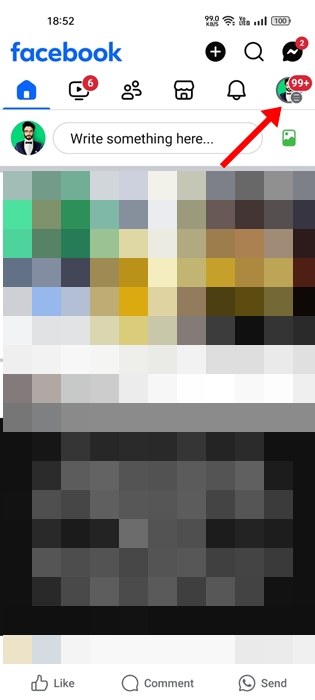
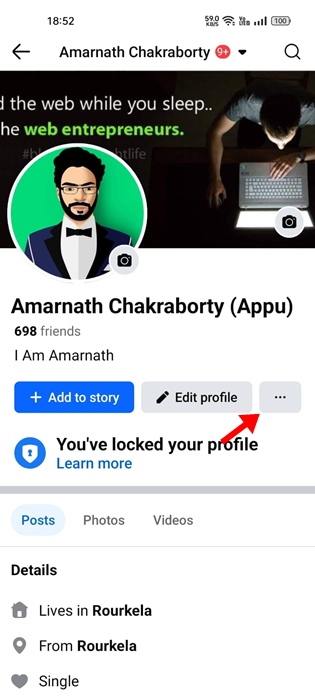
2. On the profile screen, tap the three dots at the top right corner.
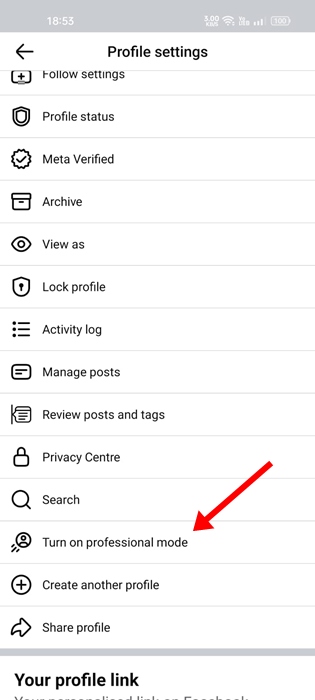
3. On the Profile Settings, scroll down and tap Turn on Professional mode.
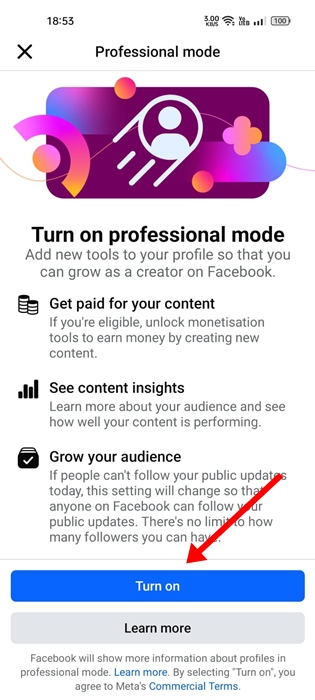
4. On the Turn on Professional Mode screen, tap Turn on.
5. On the next screen, tap on Next.
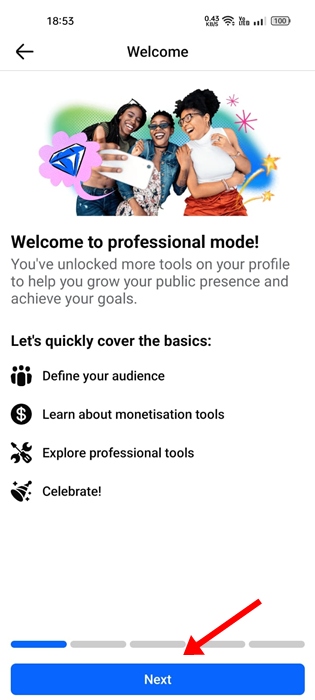
6. Finally, you will land on the success screen. Here, tap on the Go to professional dashboard button.
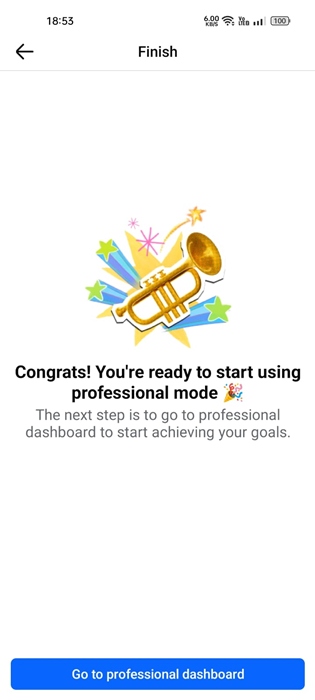
This will enable the Professional Mode on your profile. You can now enable all tools in the Professional mode by going to the Dashboard.
Enabling the Professional Mode also disables certain features. To restore the missing features, you need to turn off the Professional Mode. Here’s how to do it.
1. Open the Facebook app on your phone. Next, tap your profile picture at the top left corner.
2. On the profile screen, tap the three dots at the top right corner.
3. On the Profile Settings, scroll down and tap Turn professional mode off.
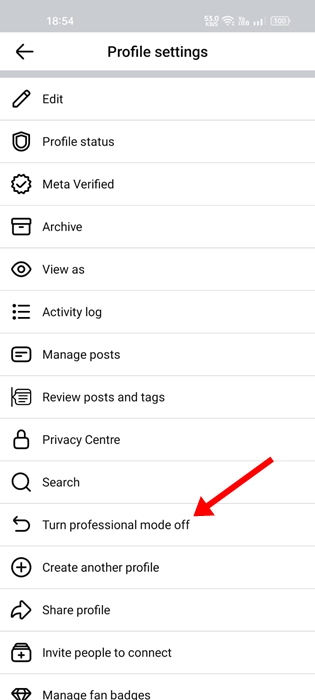
4. On the Turn Off Professional Mode screen, tap on Continue.
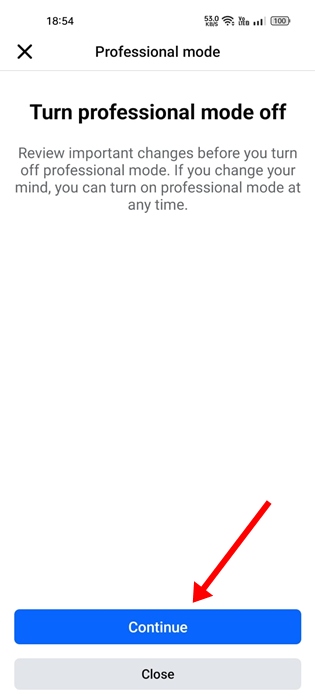
5. On the next screen, tap on Turn Off.
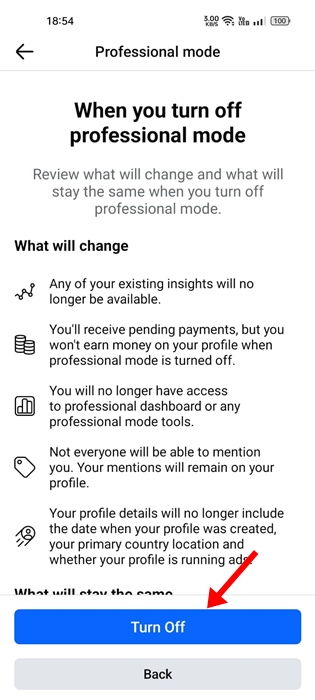
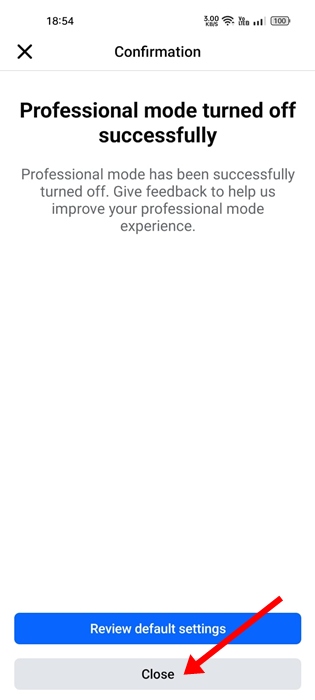
6. On the confirmation screen, tap on Close.
These are the steps to enable and disable Professional Mode on Facebook Profile. If you need more help on this topic, let us know in the comments. Also, if you find this guide helpful, let us know in the comments.
The post How to Turn On or Off Professional Mode on Facebook appeared first on TechViral.
